
- There are 2 versions of Git that we can use with ABAP standalone version and developer
Downloading the standalone program
we are going to see the implement the standalone version version. First we need to download the standalone program
You can download the latest report by clicking on the link –> ABAP CODE
Instructions for creating the program
Prerequisites
abapGit requires SAP BASIS version 702 or higher.
Install Standalone Version
- Download the ABAP code (right click -> save-as) to a file.
- Via
SE38,SE80, or ADT, create a new report namedZABAPGIT_STANDALONE(formerlyZABAPGIT_FULL). Note: Do not use the nameZABAPGITif you plan to install the developer version. - In source code change mode, upload the code from the file using Utilities -> More Utilities -> Upload/Download -> Upload
- Activate
Typically, abapGit will only be used in the development system, so it can be installed in a local $ package (e.g. $ZABAPGIT).
Next Steps
Once the program is activated run it
Before you start using the Standalone report 2 important things need to be done
- It’s better you create a repository in GIT
- Create a package in your system where you are going to save the changes
- You can create repository in Git or any other platform which you are using , pls check which all version control software’s are supported )
Create a sample program and save it in the package which you have created in step 2 and activate it
Once your sample program is created you need to login to your github account and generate a token pass, once you login you need to click on the developer settings under which you will find Personal access tokens
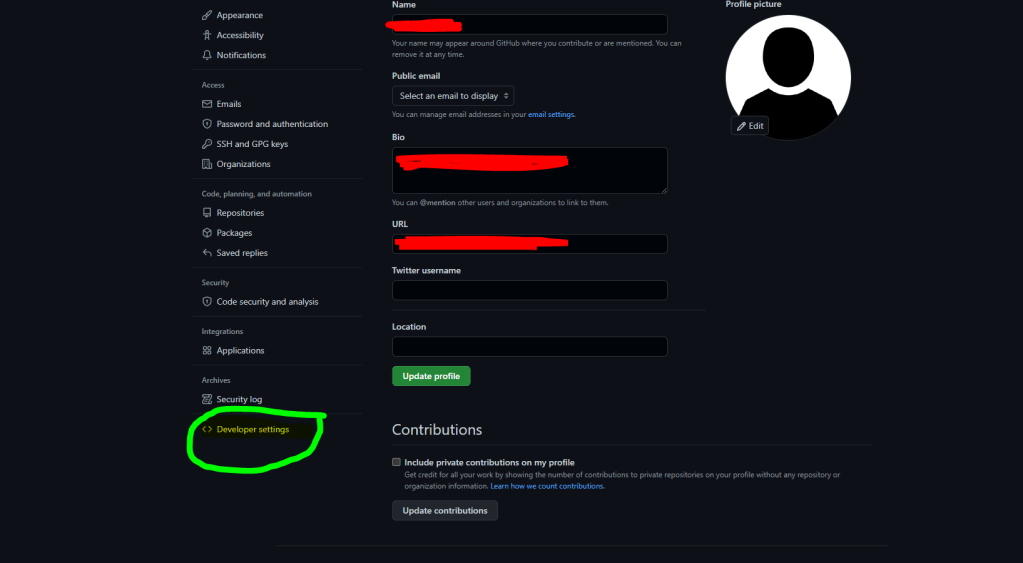
Click on Personal access token and click on Generate new token

Once the token is generated Run the report ZABAPGIT_STANDALONE which you have created above it will show the sample program which you have created
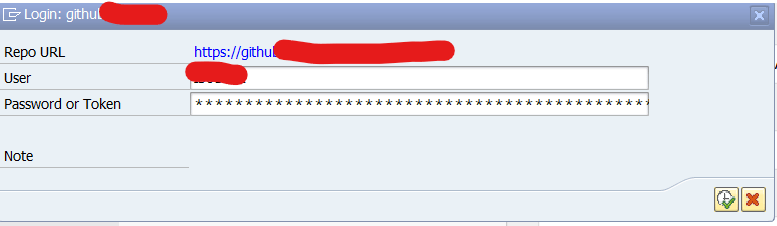
Now once you run the program it will ask you to provide username and the access token which you have creted.
NOte : Please save the personal access token in your system
Now You need to link the repository created in ABAP with the repository in Github
First click on the new Online button

Once you click you will find the below screen provide all the required details like the URL and the package . In case it asks for personal access token provide the same

YOu can find the git URL by going to github and clicking on the below button copy it and provide in the screen above

Once connection to GIT and ABAP system is established you will something like the below screenshot
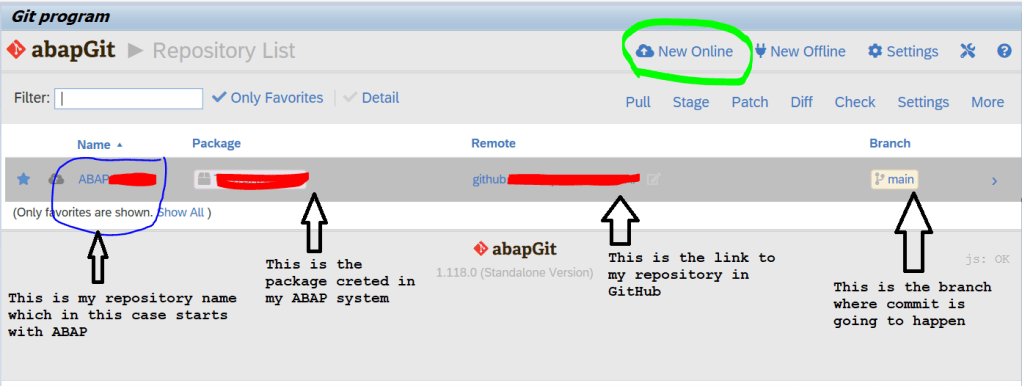
Now Once you click on the DIff button it will show all the differences as it will compare the Git repository with your program
please note : you should save the programs in a package
Once you check the difference click on the stage button it will show the objects which will be committed
Click on add to commit and your changes are present in the git repository
Steps to be performed in GIt
- To push or pull changes from Git you need to authenticate your GIt with your ABAP system and as of now it is done using personal access tokens
2. You need to generate the token and then provide it at the time of authentication with your username
YOu can find more details on https://docs.abapgit.org/
 Binarybuggs