FI-MM Integration
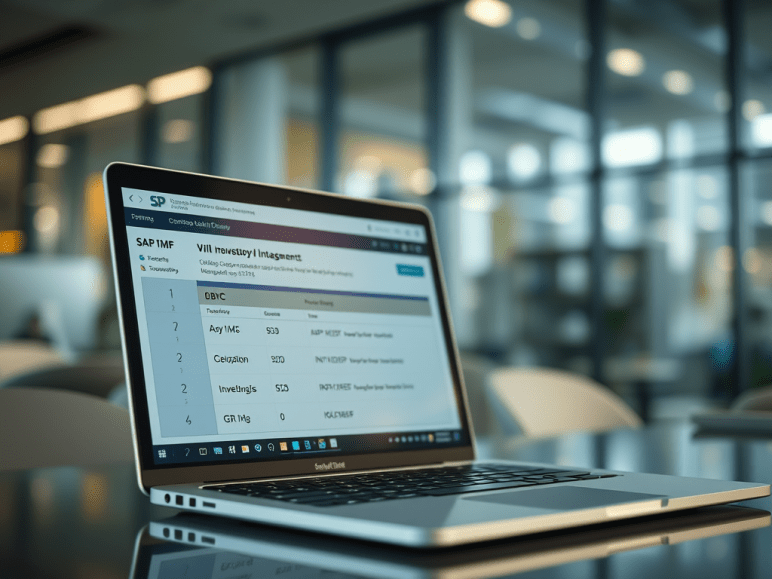
FI MM settings are maintained in transaction code OBYC. Within these there are various transaction keys to be maintained like BSX, WRX, GBB, PRD etc. In each of these transaction keys we specify the GL account which gets automatically passed at the time of entry.
Few examples could be:
BSX- Stands for Inventory Posting Debit
GBB-Stands for Goods Issue/Scrapping/delivery of goods etc
PRD- Stands for Price Differences.
MM transactions and its accounting integration:-
1. When PO is created:
—- No Entry —–
2. Goods Receipt of Raw Material against a purchase order:-
Movement type for goods receipt against purchase order is 101.
The accounting entry posted is as follows:-
Inventory of Raw Material Dr.
To GR/IR (Goods Receipt/Invoice Receipt) Cr.
The GR/IR is a provision account in SAP.
The configuration for MM-FI to be done is as follows:-
IMG => Materials Management =>Valuation and Account Assignment => Account Determination => Account Determination Without Wizard => Configure Automatic Postings (OMWB)
Or
Type in transaction code OBYC
The second column contains all the Transaction keys where we need to stick the Gl accounts.
For this entry, we need to update the BSX transaction key with the GL code Inventory of Raw material account. Double click BSX and select Valuation modifier and valuation class. Valuation modifier should be selected if the valuation grouping code is active in the Materials Management module and if separate GL codes are desired plant wise. For the GR/IR account we need to update the WRX transaction key with the GL code GR/IR account.
3. When Invoice is posted
GRIR account Dr.
To Vendor account Cr.
4. Payment made to Vendor
Vendor A/c Dr.
To Bank Clearing A/c Cr.
There is a close integration between FI & MM, document flows from MM to FI in the following areas such as,
1. Movement Types:
Used to enable the system to find the predefined posting rules determining how the accounts of financial accounting system are to be posted & to update the stock fields in the material master data.(Goods Receipt, Goods Issue, etc)
2. Valuation Class:
Assignment of material to group of GL account, used to determine the GL accounts that are updated as a result of goods movement.
3. Transaction/Event key:
Used to control the storage or filing of documents & assignment of documents. Used to differentiate between various transactions such as goods movement that occur in inventory.
4. Material Type:
Each material should assign material type in material master record used to update whether changes made in qty are updated in material master record & change in value also updated in stock account.
All Material movements in MM happen with respect to a Movement Type.
For Example:
Goods receipt is defined with movement type – 101
Goods issue to production order is defined with movement type – 261
Scrapping of goods is defined with movement type – 551
Goods delivered to the customer with movement type – 601
Initial upload of stock is defined with movement type – 561
The combination of valuation class and the movement type helps in determining the GL accounts.
FI-SD Integration
Link between SD and FI:-
All Billing transactions happening in the Sales and distribution module will result in FI postings.
1. Whenever we create a delivery with reference to a sales order, goods movement takes place in the background. For example, in case of standard sales order, we create an outbound goods delivery to the customer.
Here movement 601 takes place. This movement is configured in MM. Also, this movement hits some G/L account in FI. Every such movement of good s hits some G/L account.
2. The accounts posting in FI is done with reference to the billing documents (invoice, debit note, credit note etc) created in SD. Thus this is a link between SD and FI
3. Tax determination: In case of a tax determination also, there is a direct link between SD and MM.
SD Transaction Code Flow:
Inquiry / Document type IN
T-code for creation – VA11, VA12, VA13. Tables – VBAK, VBAP
Quotation / QT
T-code for creation – VA21, VA22, VA23. Tables – VBAK, VBAP
Purchase Order PO
T-code for creation – ME21, ME22, ME23. Tables – EKKO, EKPO.
Sales Order OR
T-code for creation – VA01, VA02, VA03. Tables – VBAK, VBAP
Delivery LF
T-code for creation – VL01, VL02, VL03. Tables – LIKP, LIPS
Billing MN
T-code for creation – VF01, VF02, VF03. Tables – VBRK, VBRP
To create a sales order we need purchase order number and customer number. Before that, to create a purchase order we need to have material no. and vendor no.
To create vendor, t-code is XK01 (create), XK02 (change), XK03 (display)
Tables are LFA1.
To create customer, t-code is XD01, XD02, XD03.
Table is KNA1.
After creating sales order using this number we can create delivery note, t-code is VL01.
SD transactions and its accounting integration:-
1. Sales Order Created
—No Entry—
2. PGI done (Goods issue)
Cost of Goods Sold Dr. (Configured in OBYC GBB Transaction Key)
To Inventory Account Cr.
3. Billing document released to Accounting
Customer Account Dr.
To Sales Revenue Account Cr. (ERL Transaction key in Pricing procedure)
Note: The GL account is assigned to this ERL in VKOA
4. Payment Received
Bank Clearing A/c Dr.
To Customer A/c Cr.
FI – SD account determination:-
The FI-SD account determination happens through an access sequence. Access sequence is nothing but SAP’s terminology of determining the GL accounts. SAP provides the following six ways of determining the GL accounts in SD.
• Application (key for the Sales and Distribution application)
• Account determination type
• Chart of accounts (from the FI System
• Customer account assignment group
• Materials account assignment group
• Account key
The allocated accounts are used to post revenues, surcharges and discounts automatically.
IMG => Financial Accounting => General Ledger Accounting => Business Transactions => Integration =>Sales and Distribution => Prepare Revenue Account Determination
OR
IMG => Sales and Distribution => Basic Functions => Account Assignment/Costing =>Revenue Account Determination => Assign G/L Accounts
OR
The transaction can also be accessed by typing in transaction code VKOA from SAP Easy Access screen.
The account determination in SD happens through an access sequence which can be seen in the below table.
The system goes about finding GL accounts from more specific criteria to less specific criteria. Thus first it will access and look for the combination of Customer accounts assignment group/ Material account assignment group/ Account key. If it does not find account for the first combination it will look for Customer account assignment group and account key combination. Further if it does not find accounts for the first two criteria’s then it will look for Material account assignment group/Account key. If it does not find accounts for the all earlier criteria’s then finally it will look for Account key and assign the GL code.
For each of this option you can define a GL account. Thus the system uses this GL account to automatically pass the entries.
Customer Group is maintained in the Sales view of the customer master.
Material Group is maintained in the Sales view of the material master.
Account key is maintained in the pricing procedure for that condition type.
FI-PP Integration
FI-PP integration takes place mainly at these stages:-
1) When you create and release the production order, the planned costs will be calculated from BOM and Routing/Master Recipe master data. CO document will be generated for planned postings.
2) When you issue goods (Raw Materials) to production (against Production Order) the FI and CO entries will get generated.
Transaction – CO27
FI Entry –
Consumption A/C Dr.
To Inventory A/C Cr.
CO primary cost postings will be triggered against the cost center.
For this entry, the transaction Key GBB needs to be updated in OBYC transaction. GBB key is used for various offsetting posting entries. Within GBB transaction there are various account grouping (general modification). In this case, we need to update general modification VBR with the Raw Material consumption account.
3) When operations in routings are confirmed, the cost centers in the work centers will be charged with the activity costs.
Here secondary cost postings will be triggered in the production cost centers.
4) After final confirmation of the operations, the GRN will takes place against the production order, here also CO and FI documents will be generated.
Transaction – CO11
FI Entry –
Finished Goods A/C Dr.
To cost of goods produced A/C Cr.
5) If the production order is not confirmed fully, we have to run WIP at the month end.
Transaction – KKAO
FI entry –
WIP A/C Dr.
To Change in WIP A/ c Cr.
The above entry will be reversed at the time of settlement of production order.
6) When the PO is technically completed, then settlement of PO takes place.
Transaction – KO88
FI entry-
Price Difference(Goods) A/C Dr.
To cost of goods produced A/C Cr.
 Binarybuggs